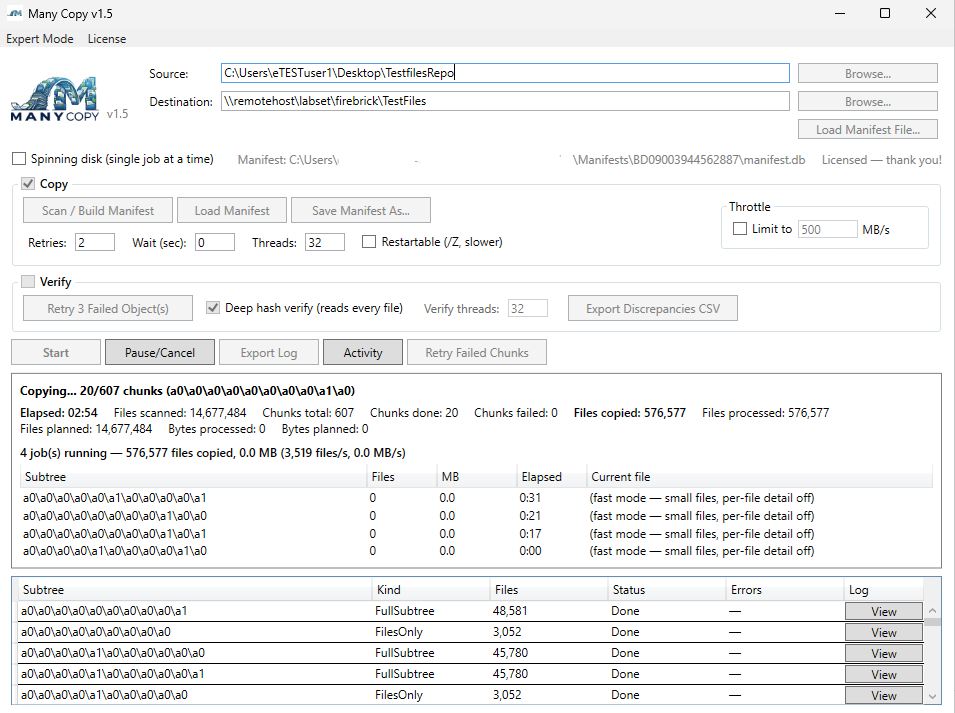
Watch every job, in real time
Run multiple copy jobs at once and see exactly what's happening — files scanned, chunks done, files copied, and throughput per subtree. Many Copy keeps a running total while it works so nothing is a mystery.
- Per-subtree progress with live files/sec
- Multiple concurrent jobs from one manifest
- Fast mode for huge counts of small files
- Throttle, thread, and retry controls at a glance
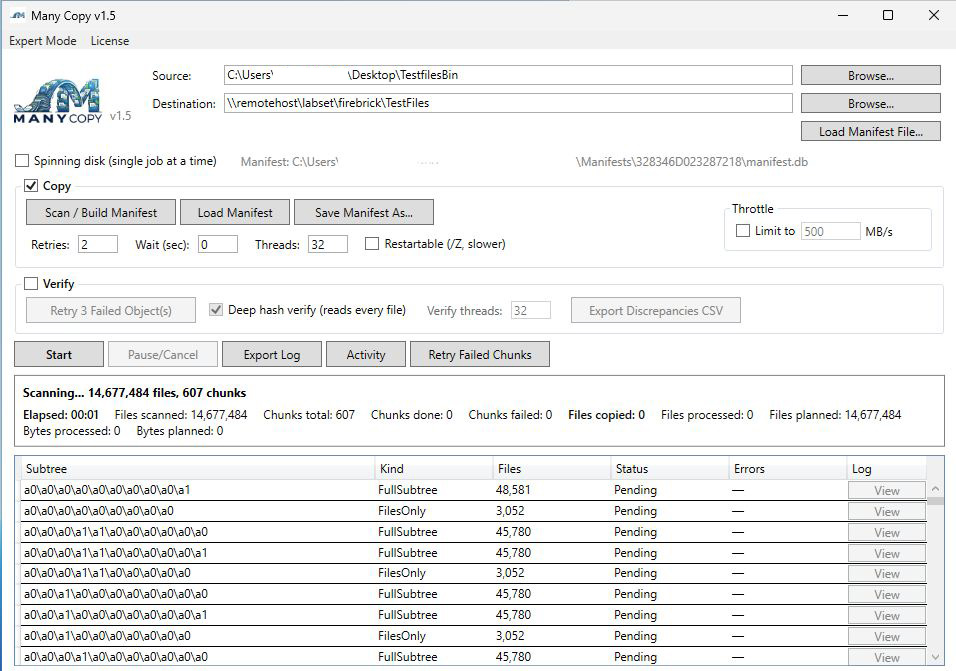
Simple by default or Expert Mode.
Many Copy keeps transfers dead simple — point at a source, point at a destination, and go. But when you need more, Expert Mode lets you dial in the engine to take full control of the job.
- Simple, one-screen transfers out of the box
- Expert Mode to set custom settings and fine tune
- Add a prefix or append text to copied filenames
- Schedule a job to run when you need it
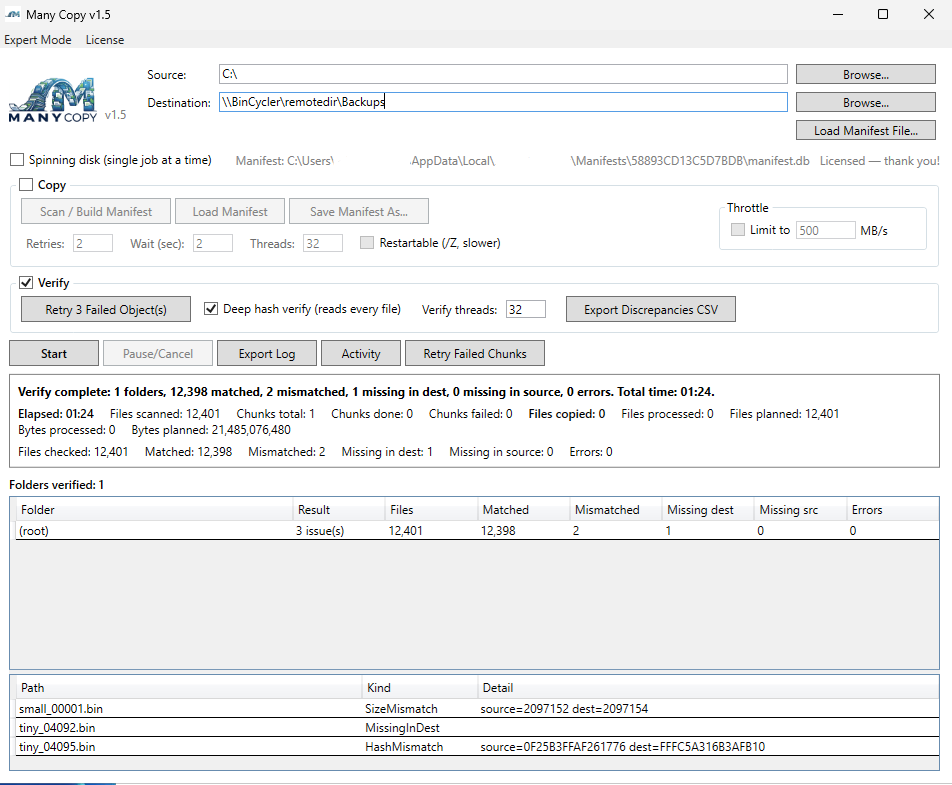
Prove the copy is correct
When the transfer finishes, verify it. A fast verify checks the set quickly; a deep hash verify reads every file and compares hashes end-to-end. Many Copy reports matches, mismatches, and anything missing — then lets you export the details.
- Fast verify or deep hash verify (reads every file)
- Clear match / mismatch / missing summary
- Per-file detail: size, hash, and date mismatches
- Export discrepancies to CSV for auditing
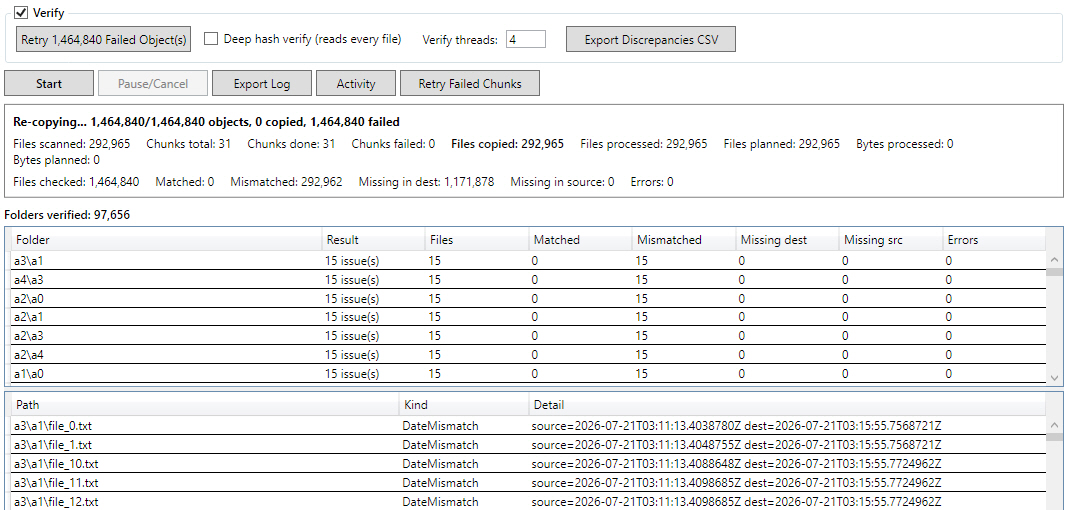
Nothing gets left behind
Large jobs hit bumps — flaky links, locked files, transient errors. Many Copy tracks every failed object and lets you retry just those, re-copying only what needs it instead of running the whole job again.
- Retry failed objects and failed chunks selectively
- Automatic retries with configurable wait
- Re-copy mismatched and missing files in one action
- Export logs at any point for a full record